

What you can do
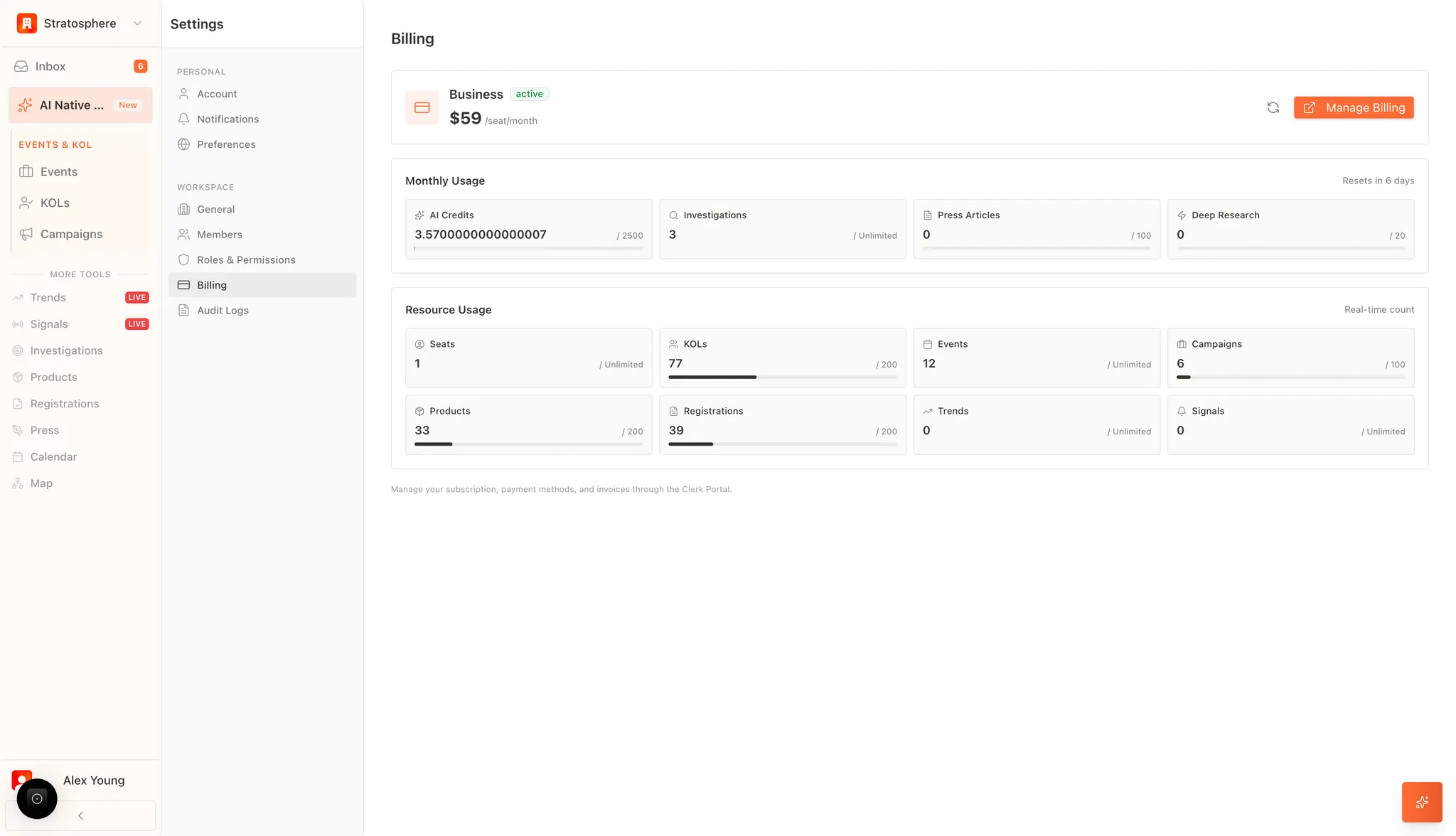
- Check your current plan and billing status.
- Review monthly usage (credits, investigations, articles).
- Monitor workspace limits (seats, KOLs, products, events, campaigns, registrations).
Where to find it
- Open
Settings→Billing & Usage.
Subscription details
The header shows your active plan, billing frequency, and price per seat.Monthly usage
Use this section to track resources that reset each billing cycle (e.g., remaining days until reset). Common metrics include:- AI credits: general AI usage across the platform.
- Investigations / deep research: number of investigation runs.
- Press articles: number of generated drafts.
Workspace limits
This section shows the total records and limits in your workspace (these do not reset monthly), such as:- Seats (users)
- KOLs
- Products
- Events
- Campaigns
- Registrations