> ## Documentation Index
> Fetch the complete documentation index at: https://docs.medstrato.com/llms.txt
> Use this file to discover all available pages before exploring further.
# Tender Package — Proposal Generation & Export
> Generate professional proposal documents with AI: select sections, refine content, and export submission-ready DOCX or PDF packages from MedStrato.
# Tender Package
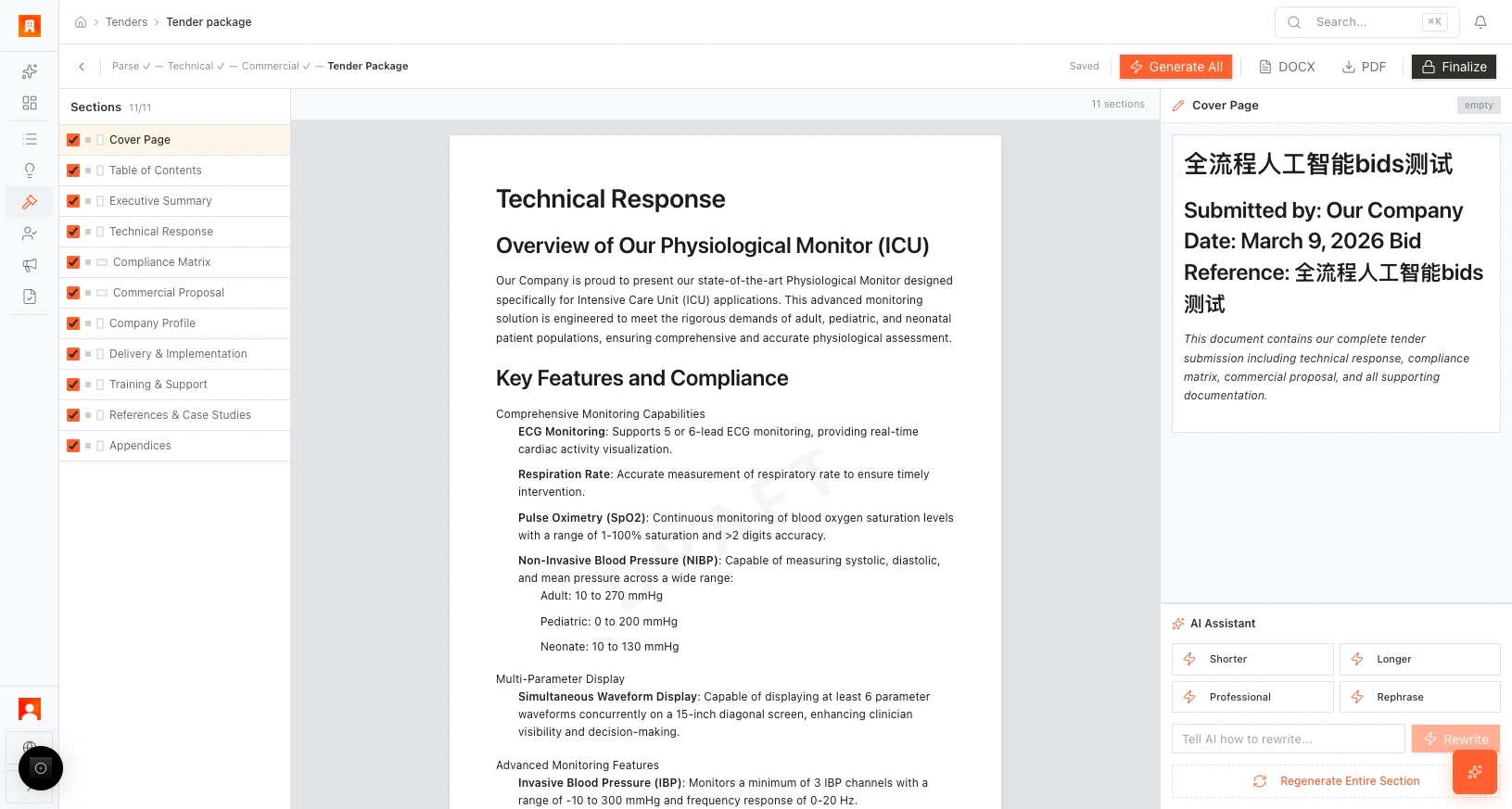
The Tender Package tab produces your final submission document — cover page, executive summary, technical approach, commercial summary, and more. AI generates the content; you refine and export.
> **Scenario:** A bid team selects 11 sections for their proposal, clicks **Generate All**, and has a complete draft in minutes. The manager uses AI edit to shorten the executive summary, makes the technical approach more professional, and exports a polished PDF for submission.
## Open the Tender Package
From the Commercial editor, click **Go to Tender Package**, or open the tender's **Package** tab.
 ## Select sections
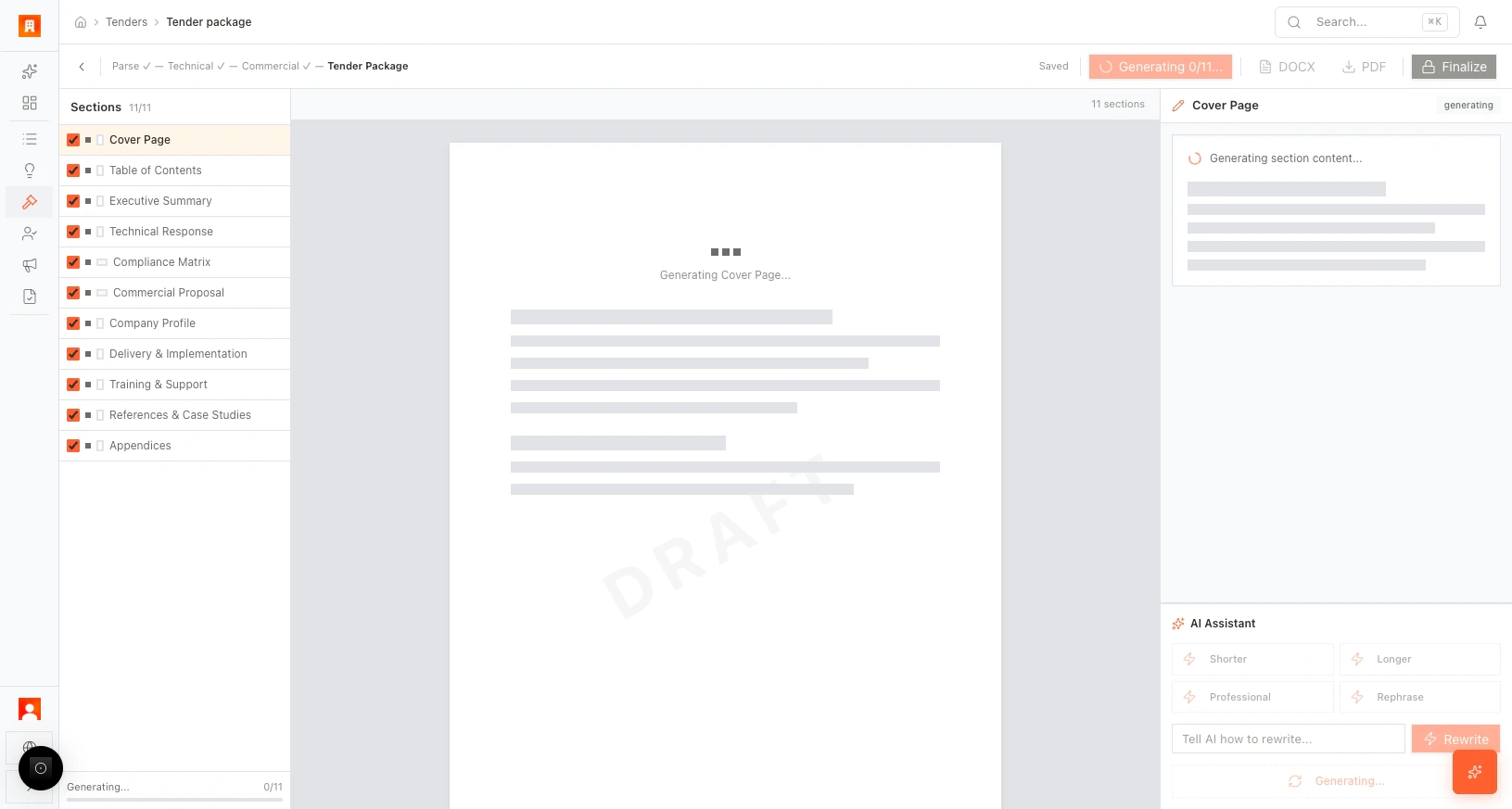
The left panel lists available sections:
* Cover page
* Table of contents
* Executive Summary
* Technical Approach
* Commercial Summary
* Additional sections as configured
Use checkboxes to **include** or **exclude** sections from the generated document.
## Select sections
The left panel lists available sections:
* Cover page
* Table of contents
* Executive Summary
* Technical Approach
* Commercial Summary
* Additional sections as configured
Use checkboxes to **include** or **exclude** sections from the generated document.
 ## Generate content
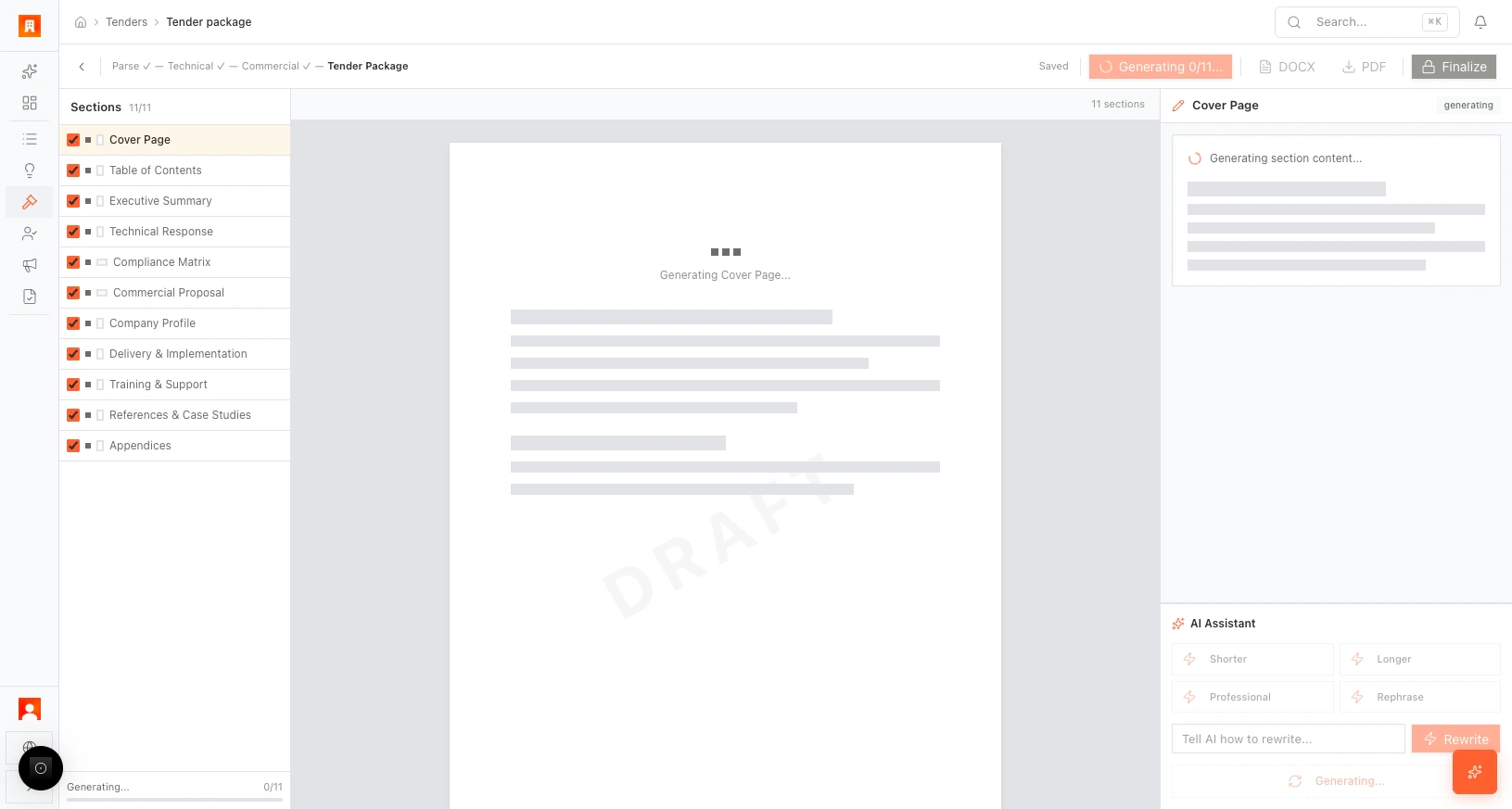
Click **Generate All** to run AI generation across all selected sections. Progress is shown (e.g., "Generating 0/11…"). A **DRAFT** watermark appears while generation is in progress.
## Generate content
Click **Generate All** to run AI generation across all selected sections. Progress is shown (e.g., "Generating 0/11…"). A **DRAFT** watermark appears while generation is in progress.
 ## Refine with AI edit
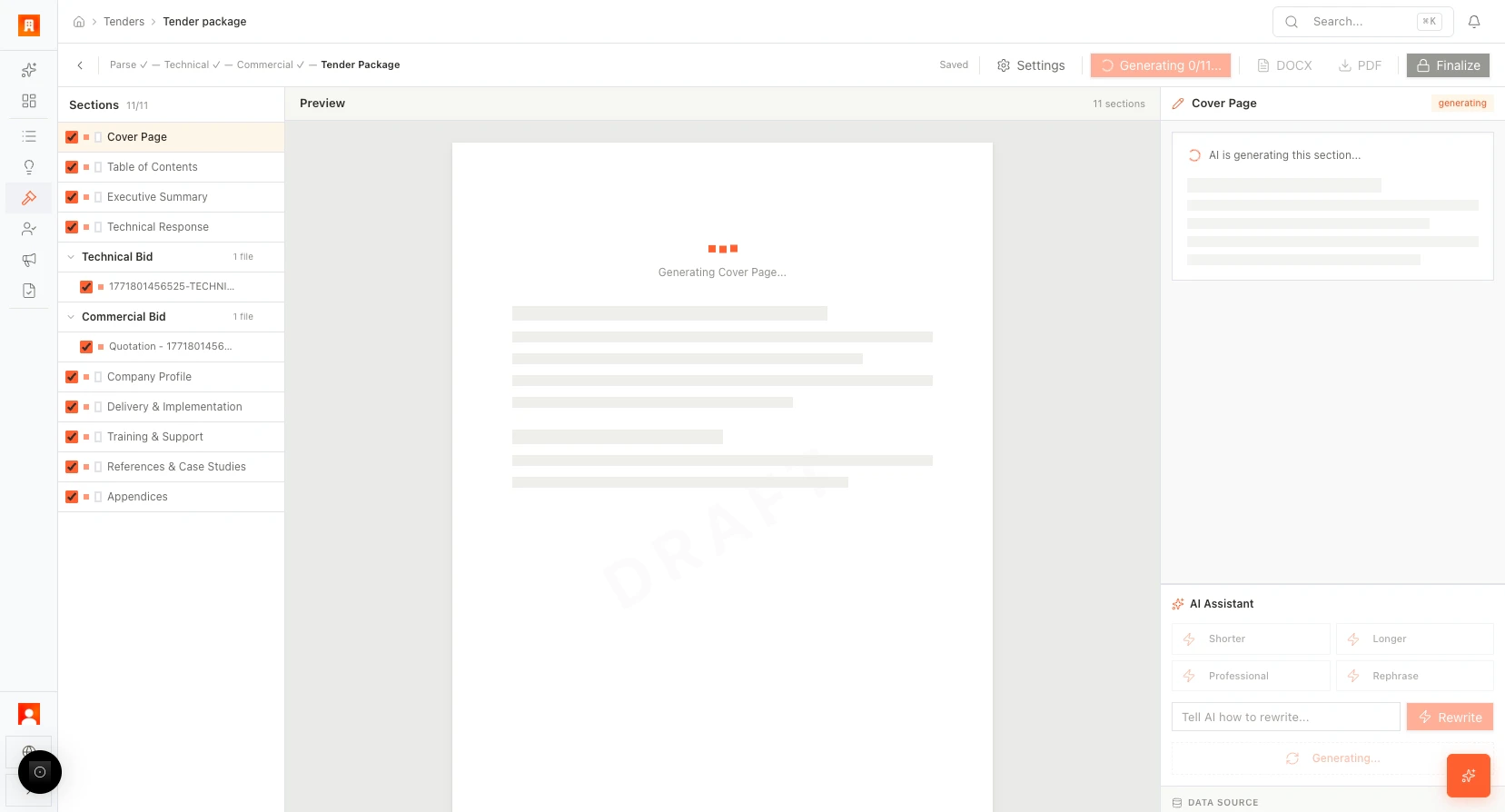
Click any section to open the AI edit panel on the right. Available actions:
| Action | Effect |
| ------------------ | ------------------------------------------------ |
| **Shorter** | Condense the text |
| **Longer** | Expand with more detail |
| **Professional** | Adjust to formal business tone |
| **Rephrase** | Rewrite for clarity |
| **Custom rewrite** | Enter your own instruction and click **Rewrite** |
## Refine with AI edit
Click any section to open the AI edit panel on the right. Available actions:
| Action | Effect |
| ------------------ | ------------------------------------------------ |
| **Shorter** | Condense the text |
| **Longer** | Expand with more detail |
| **Professional** | Adjust to formal business tone |
| **Rephrase** | Rewrite for clarity |
| **Custom rewrite** | Enter your own instruction and click **Rewrite** |
 ## Export and finalize
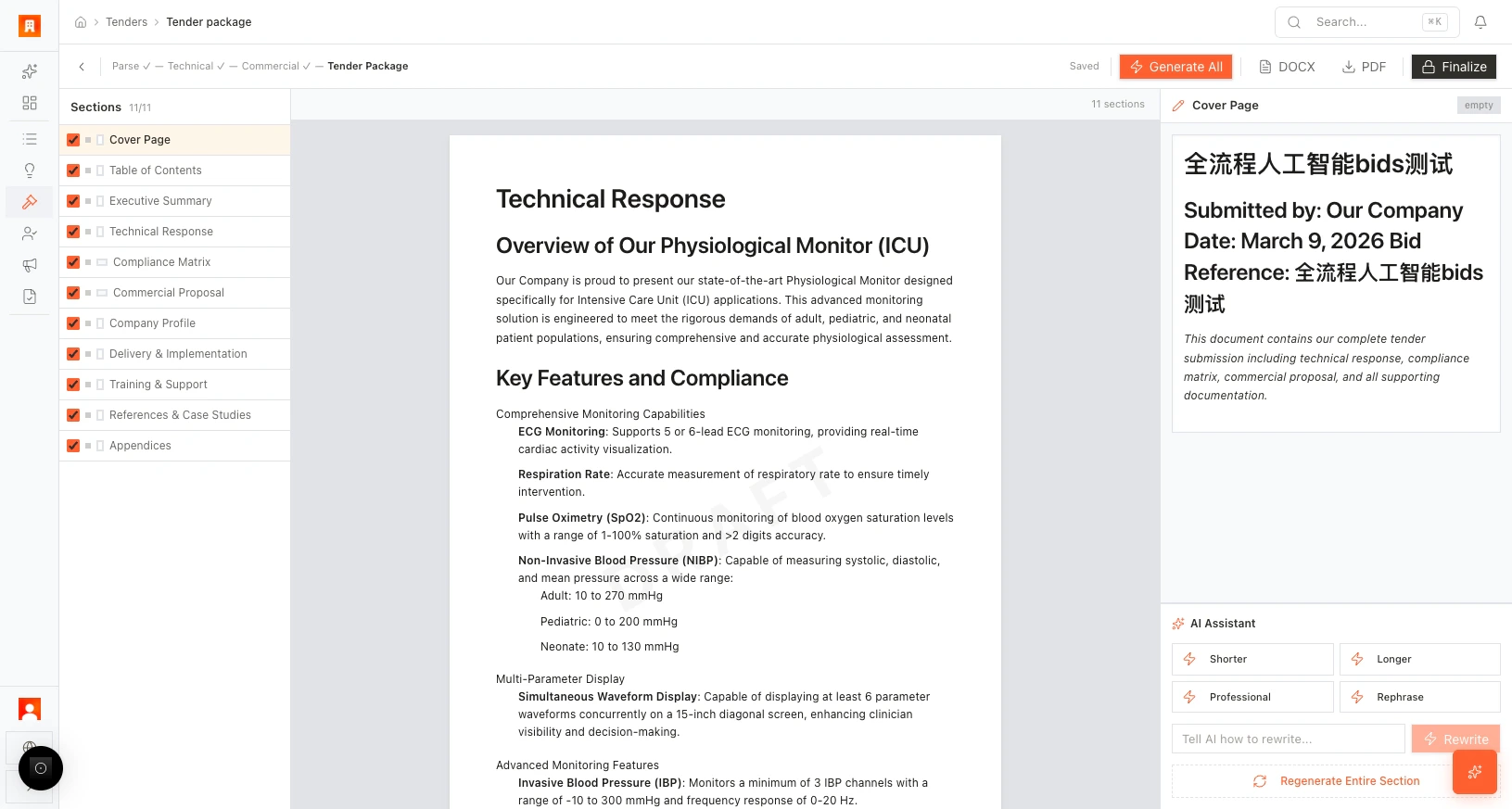
When the document is ready:
* **Export DOCX** — download as a Word document for further editing.
* **Export PDF** — download as a PDF for submission.
* **Finalize** — lock the document and remove the draft watermark. A confirmation dialog appears; once confirmed, further edits may be restricted.
## Export and finalize
When the document is ready:
* **Export DOCX** — download as a Word document for further editing.
* **Export PDF** — download as a PDF for submission.
* **Finalize** — lock the document and remove the draft watermark. A confirmation dialog appears; once confirmed, further edits may be restricted.
 Export as DOCX first if your team needs a final review pass. Use **Finalize** only when the document is submission-ready.
## More scenarios
> **Brand consistency:** A marketing manager reviews the generated executive summary and uses the **Professional** tone adjustment to align it with the company's brand voice. She then adds a custom rewrite instruction: "Emphasize our 15-year track record in surgical robotics" — the AI incorporates it seamlessly.
> **Last-minute amendment:** The buyer issues an amendment 48 hours before deadline, changing two technical requirements. The bid team updates the Technical editor, regenerates the affected Tender Package sections, and exports a revised PDF — without rebuilding the entire document from scratch.
## Next step
[Learn about Bid Autopilot →](/guides/tenders/bid-autopilot)
Export as DOCX first if your team needs a final review pass. Use **Finalize** only when the document is submission-ready.
## More scenarios
> **Brand consistency:** A marketing manager reviews the generated executive summary and uses the **Professional** tone adjustment to align it with the company's brand voice. She then adds a custom rewrite instruction: "Emphasize our 15-year track record in surgical robotics" — the AI incorporates it seamlessly.
> **Last-minute amendment:** The buyer issues an amendment 48 hours before deadline, changing two technical requirements. The bid team updates the Technical editor, regenerates the affected Tender Package sections, and exports a revised PDF — without rebuilding the entire document from scratch.
## Next step
[Learn about Bid Autopilot →](/guides/tenders/bid-autopilot)