> ## Documentation Index
> Fetch the complete documentation index at: https://docs.medstrato.com/llms.txt
> Use this file to discover all available pages before exploring further.
# Commercial Editor — Quotation & Pricing
> Build competitive quotations in MedStrato: set quantities, pricing, discounts, and margins with AI-powered price suggestions and real-time profitability tools.
# Commercial Editor
The Commercial editor turns your technical matches into a priced quotation. Use built-in margin tools and AI price suggestions to build competitive, profitable bids.
> **Scenario:** After completing technical compliance, the finance lead opens the Commercial tab. The quotation table is pre-populated from matched products. She uses the margin tools to optimize pricing, applies a volume discount, and gets the gross profit to target — all before the submission deadline.
## Open the Commercial editor
From the Technical editor, click **Go to Commercial**, or open the tender's **Commercial** tab directly.
 ## Quotation table
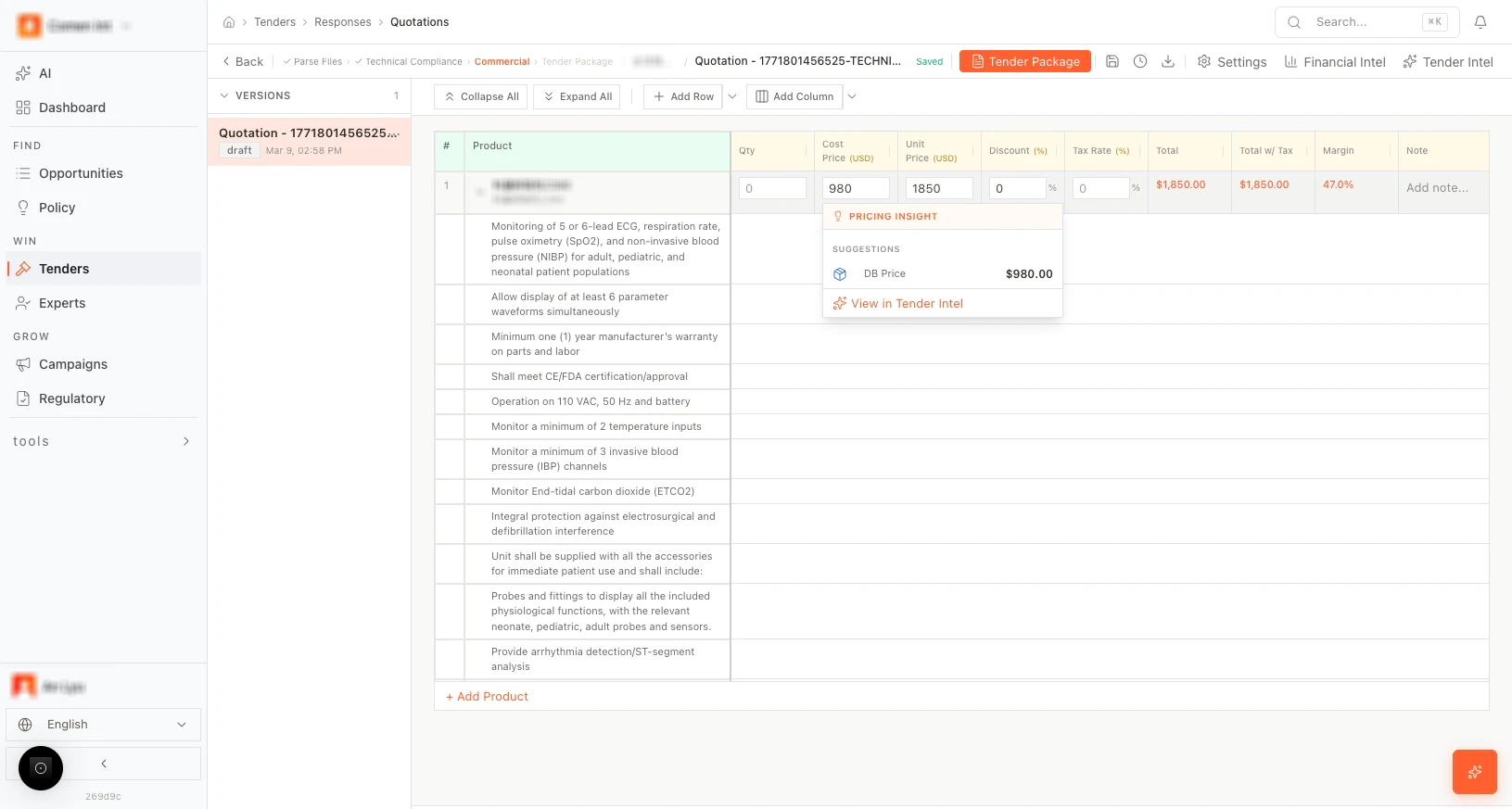
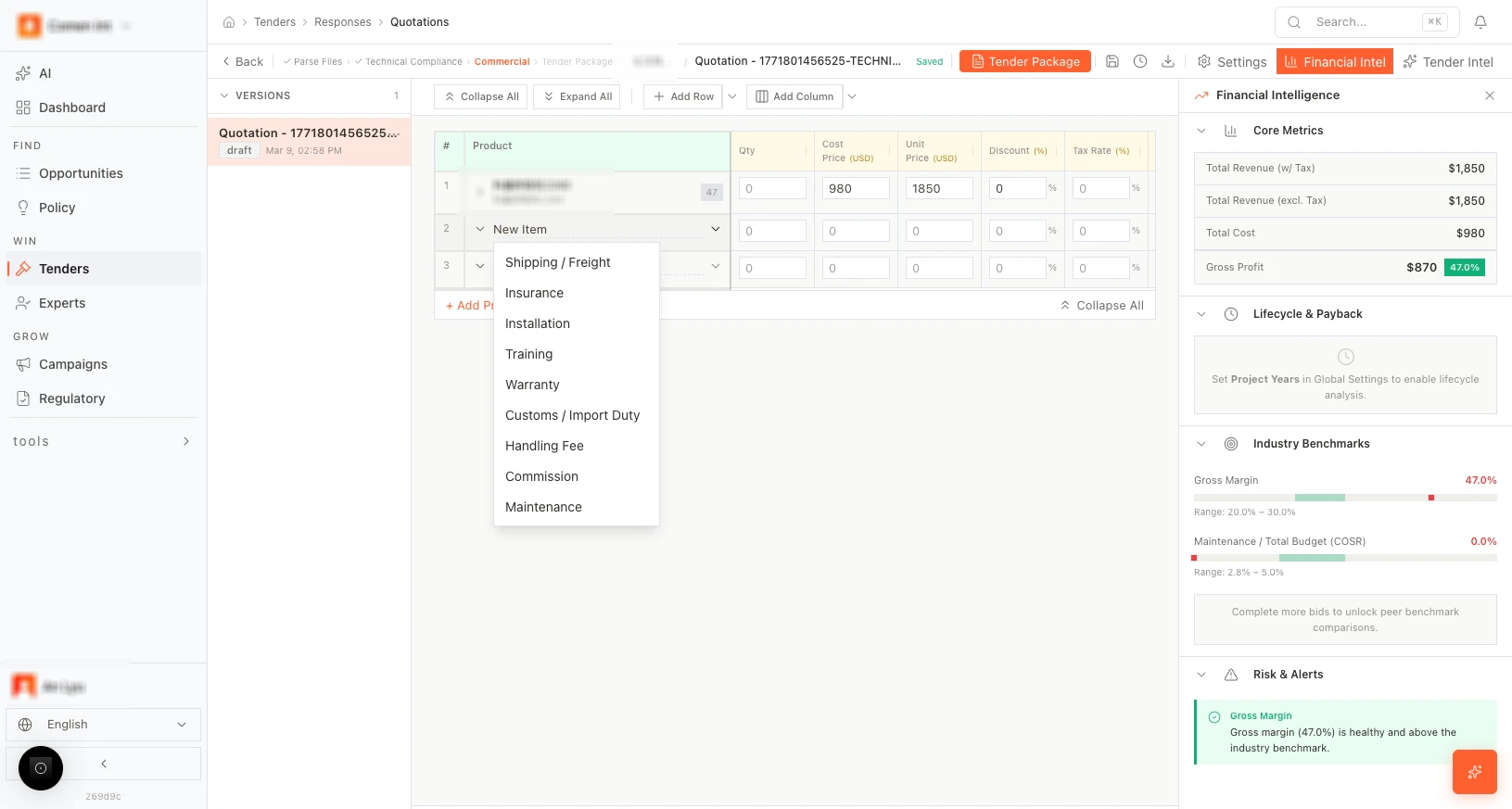
The table is auto-built from products matched in the Technical editor.
**Default columns:**
| Column | Description |
| -------------- | ----------------------------- |
| **Qty** | Quantity required |
| **Cost price** | Your internal cost |
| **Unit price** | Price offered to the buyer |
| **Discount** | Discount percentage or amount |
| **Tax** | Applicable tax rate |
| **Totals** | Line total |
| **Margin** | Profit margin per line |
| **Note** | Internal notes |
## Quotation table
The table is auto-built from products matched in the Technical editor.
**Default columns:**
| Column | Description |
| -------------- | ----------------------------- |
| **Qty** | Quantity required |
| **Cost price** | Your internal cost |
| **Unit price** | Price offered to the buyer |
| **Discount** | Discount percentage or amount |
| **Tax** | Applicable tax rate |
| **Totals** | Line total |
| **Margin** | Profit margin per line |
| **Note** | Internal notes |
 ## Price suggestions
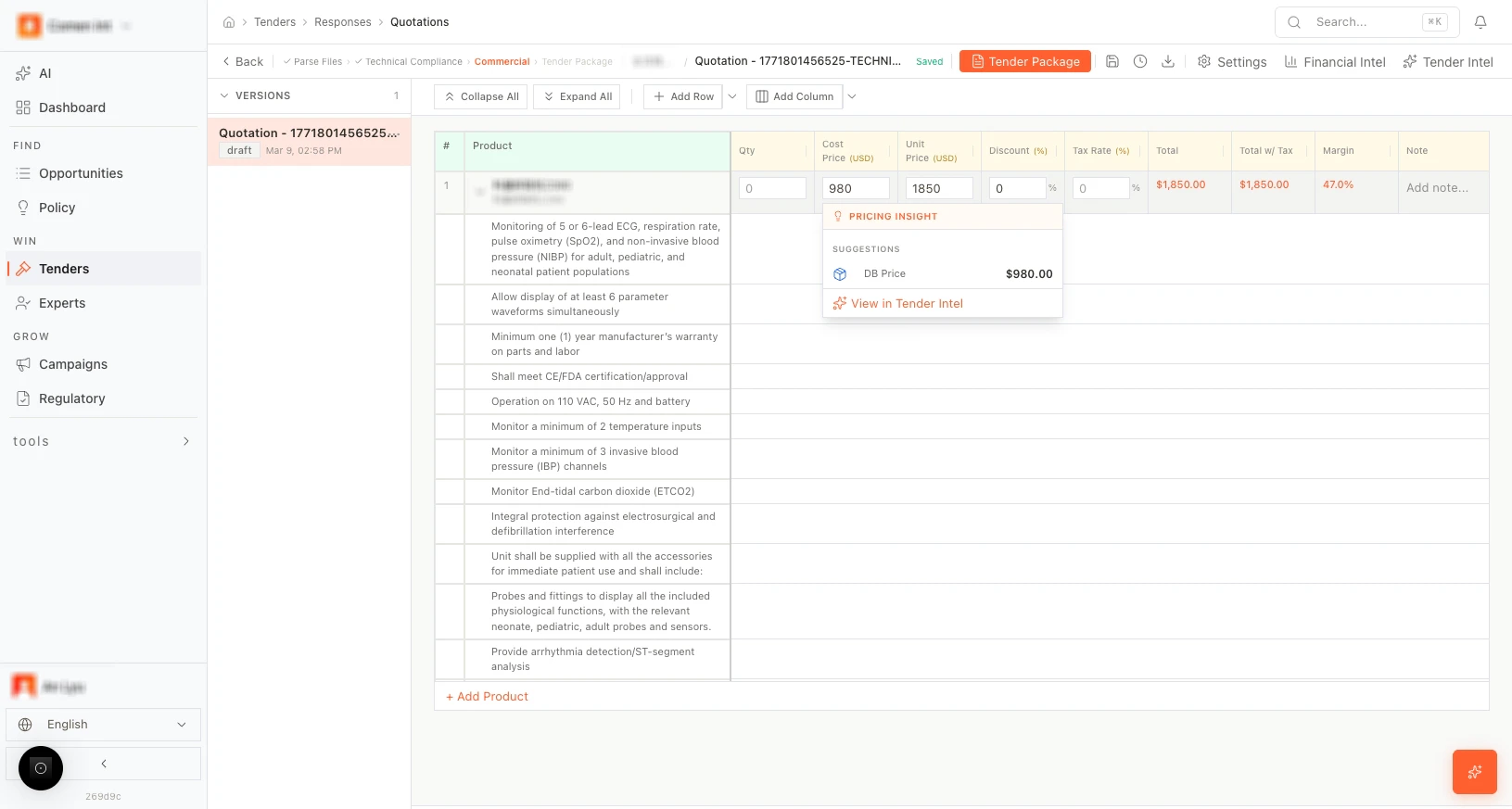
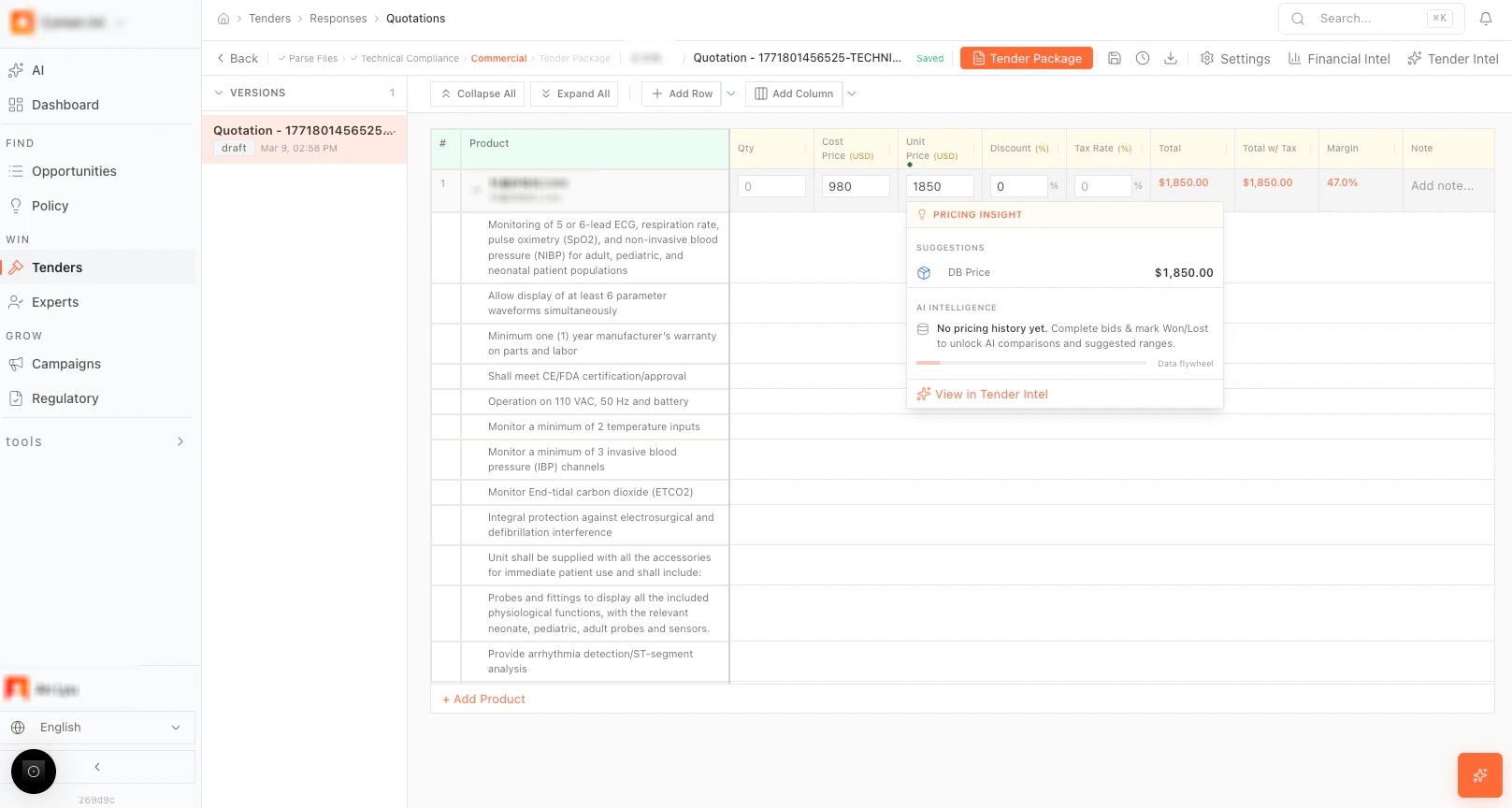
Hover over a price cell to see AI-powered suggestions (e.g., historical prices, "DB Price"). Click to apply.
## Price suggestions
Hover over a price cell to see AI-powered suggestions (e.g., historical prices, "DB Price"). Click to apply.
 ## Margin and profitability tools
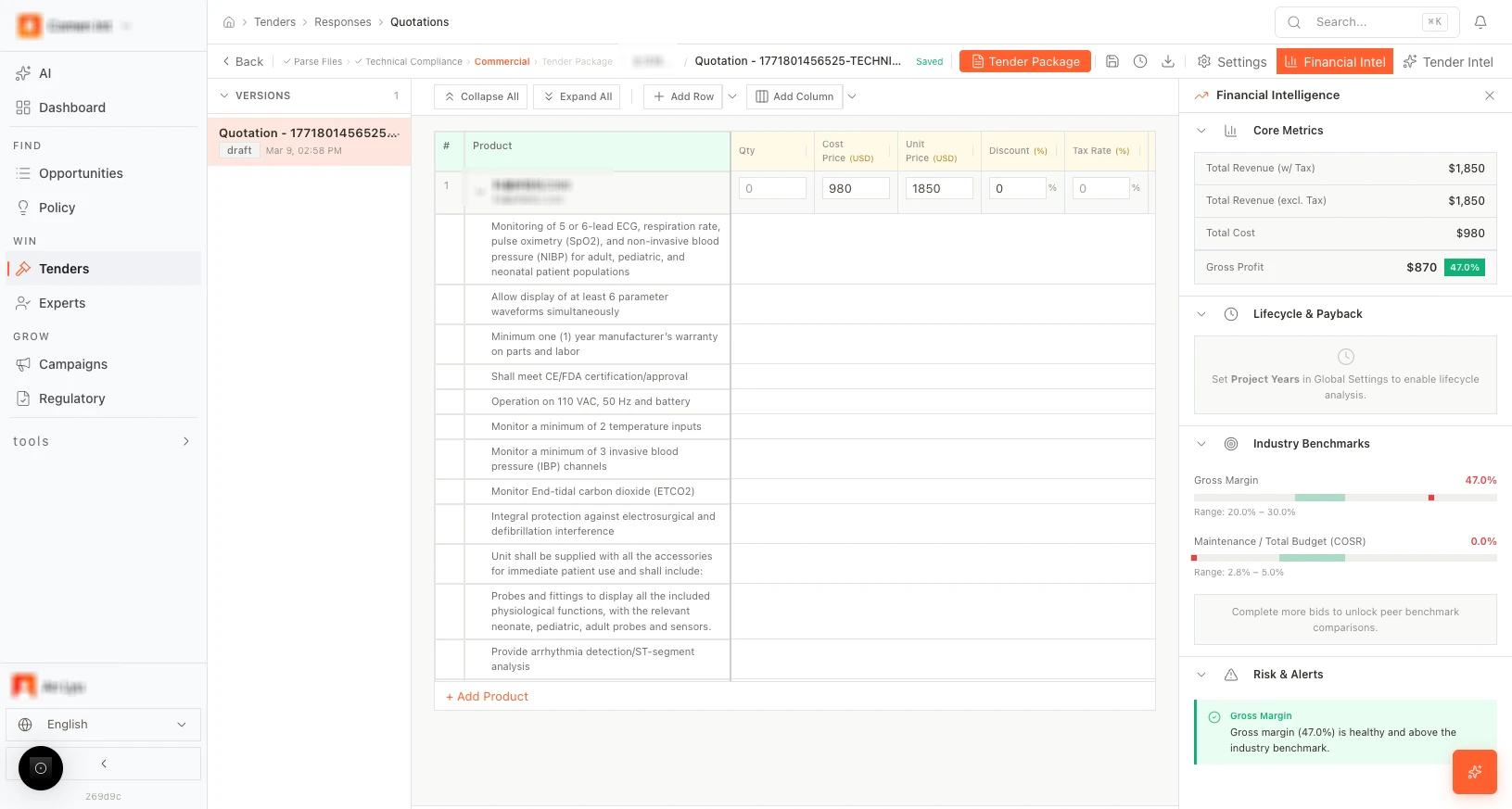
Use the top bar or sidebar for:
* **Gross profit summary** — real-time profitability overview.
* **Target margin** — set a margin goal and see which lines need adjustment.
## Margin and profitability tools
Use the top bar or sidebar for:
* **Gross profit summary** — real-time profitability overview.
* **Target margin** — set a margin goal and see which lines need adjustment.
 ## Add rows and columns
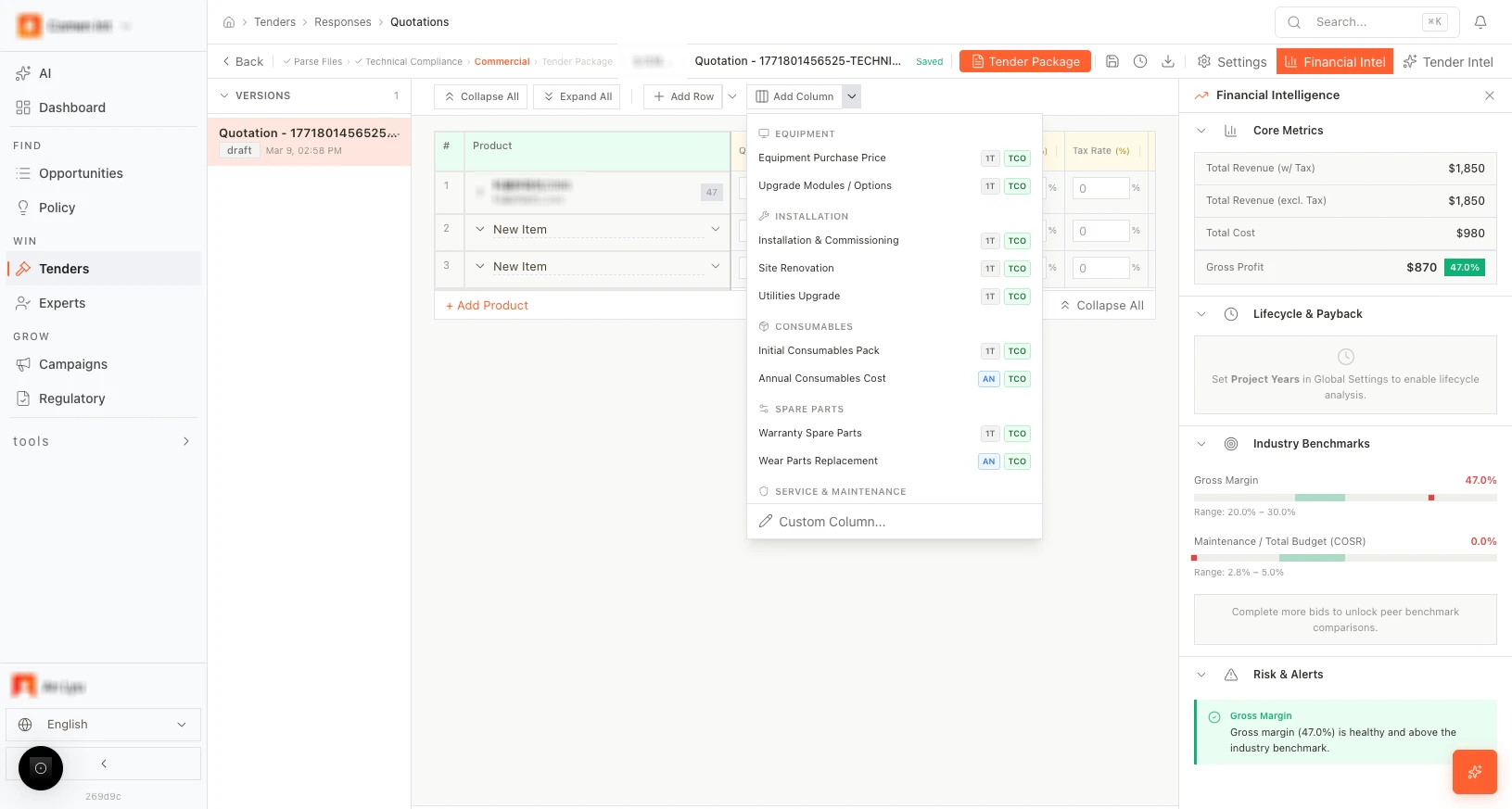
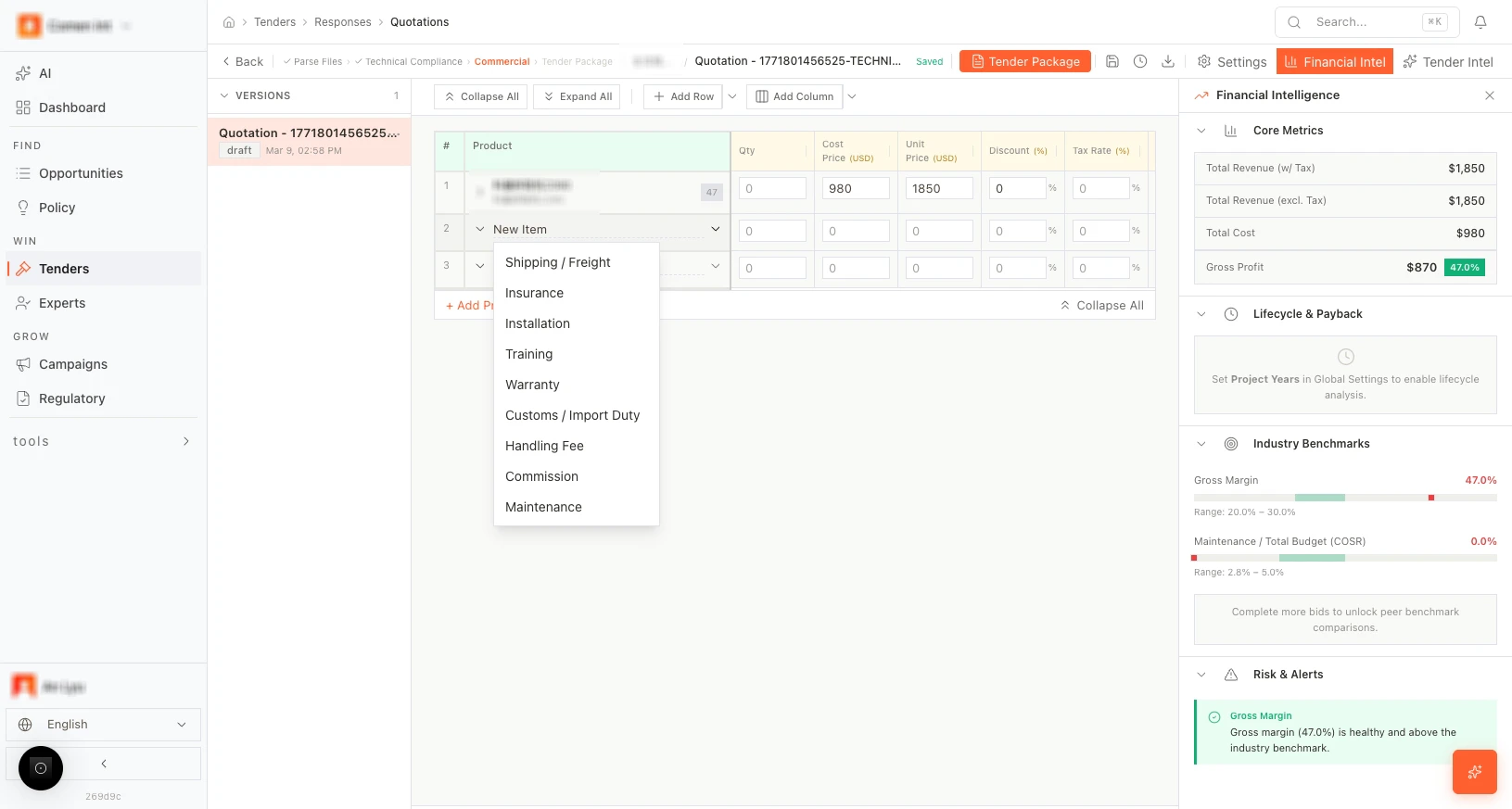
* **+ Add Row** — add extra line items (e.g., services, accessories).
* **+ Add Column** — add fee columns or custom fields.
## Add rows and columns
* **+ Add Row** — add extra line items (e.g., services, accessories).
* **+ Add Column** — add fee columns or custom fields.
 ## More scenarios
> **Margin pressure:** A sales director reviews a tender where the buyer's budget is tight. She uses the margin tools to identify three line items where switching to a cost-effective alternative still meets compliance. The adjusted quote hits the target price while preserving 18% gross margin.
> **Multi-lot pricing:** A large hospital group issues a tender with four lots across different departments. The bid team adds separate rows and fee columns for each lot, using price suggestions to stay competitive on high-volume consumables while protecting margin on capital equipment.
## Move to Tender Package
When pricing is finalized, click **Go to Tender Package** to generate the proposal document.
## More scenarios
> **Margin pressure:** A sales director reviews a tender where the buyer's budget is tight. She uses the margin tools to identify three line items where switching to a cost-effective alternative still meets compliance. The adjusted quote hits the target price while preserving 18% gross margin.
> **Multi-lot pricing:** A large hospital group issues a tender with four lots across different departments. The bid team adds separate rows and fee columns for each lot, using price suggestions to stay competitive on high-volume consumables while protecting margin on capital equipment.
## Move to Tender Package
When pricing is finalized, click **Go to Tender Package** to generate the proposal document.
 ## Next step
[Generate the Tender Package →](/guides/tenders/tender-package)
## Next step
[Generate the Tender Package →](/guides/tenders/tender-package)